The social screen time app • Screen Time Battles
Reduce screen time. Together.
Don't let your candle burn out!
ScreenOff turns screen time into fun battles. Challenge your friends to Screen-Offs. And break bad phone habits with smart app blockers and weekly challenges.



On a computer?
Scan with your iPhone camera for the App Store.
Free to download for iPhone (iOS 17 or later) and Android
Sound familiar?
We're spending too much of our lives staring at 6” screen!
- Gen Z 16–29 6h 27m • 98 days/year
- Millennial 30–45 5h 28m • 83 days/year
- Gen X 46–60 4h 48m • 73 days/year
- Baby Boomer 61+ 4h 19m • 66 days/year
Source: Harmony Healthcare IT survey, December 2024. In ScreenOff, your candle burns out when you reach your generation's average.
Signs you might be addicted to your phone
-
In the toilet
You pull it out on the toilet (your phone).
-
During the day
You simply ignore the app limits you set yourself.
-
In bed
It's the last thing you look at night, and the first thing you check in the morning.
-
Out and about
You fill moments of silence (queues, transit, waiting) with scrolling.
ScreenOff makes cutting back something you do together, with blockers that hold when your willpower doesn't.
How ScreenOff works
Make quitting your phone fun
-
Pick the Apps to Track
Choose the apps that steal your time. We recommend tracking all apps, but you can deselect some if you need (e.g. Maps).
-
Challenge a Friend
Start or join a one vs one or group Screen-Off! Each Screen-Off has a unique invite code.
-
Keep your candle burning!
Every minute you spend on distracting apps burns your candle. Keep yours burning to win the day - and the week.




Can't seem to win? Set ScreenOff's smart App Blockers and follow weekly phone-quitting challenges.
Stories
Hours back, every day. Weeks back, every year.
The average person spends 6h 27m a day on their phone. That's 98 days a year!
5h 23m3h 15mThe public shaming effect works wonders.
 DanStudent
4h 32m2h 46mI've never been more motivated to reduce my phone usage.
 BenFriend of Founder
3h 50m1h 45mI wanted to prove I used my phone less than my husband. I was right.
 LauraMum of two
Screen-Offs
Stay on track with friendly competition
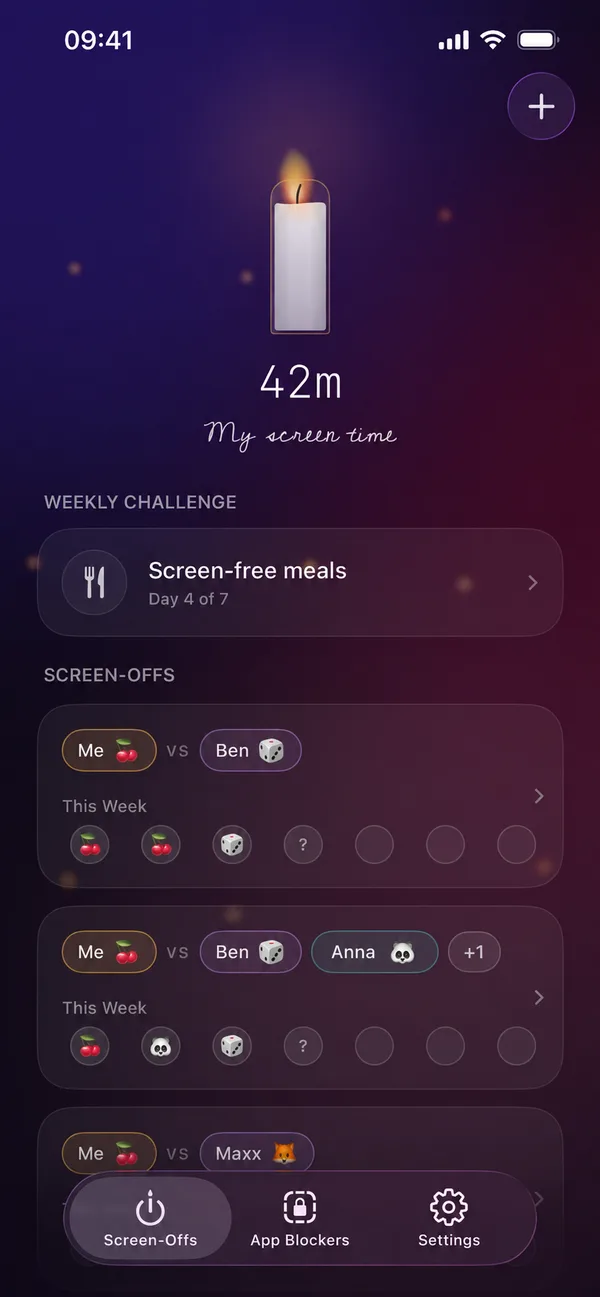
It's easier to put your phone down when someone notices. A Screen-Off is a weekly challenge with friends where the lowest screen time wins. Play 1v1 or as a group, and start fresh every week.
- 1v1
- Group
App Blockers
Block the apps you keep opening
For the moments your willpower runs out. Block social media on your phone all day, keep your phone quiet at night with a curfew, or set a daily limit for games. Your apps stay locked until you decide otherwise.


Weekly challenges
Not sure where to start?
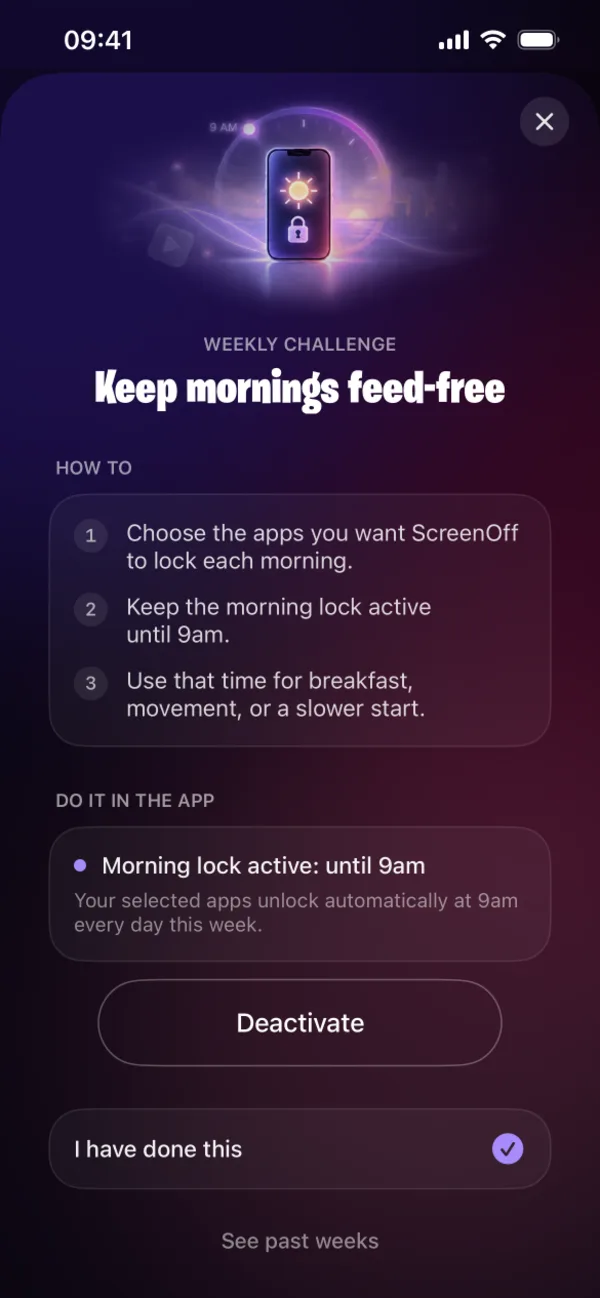
Each week you get one small, doable challenge, like a feed-free morning. ScreenOff sets up the blocker for you, so all you have to do is show up.
Weekly results
See your progress add up
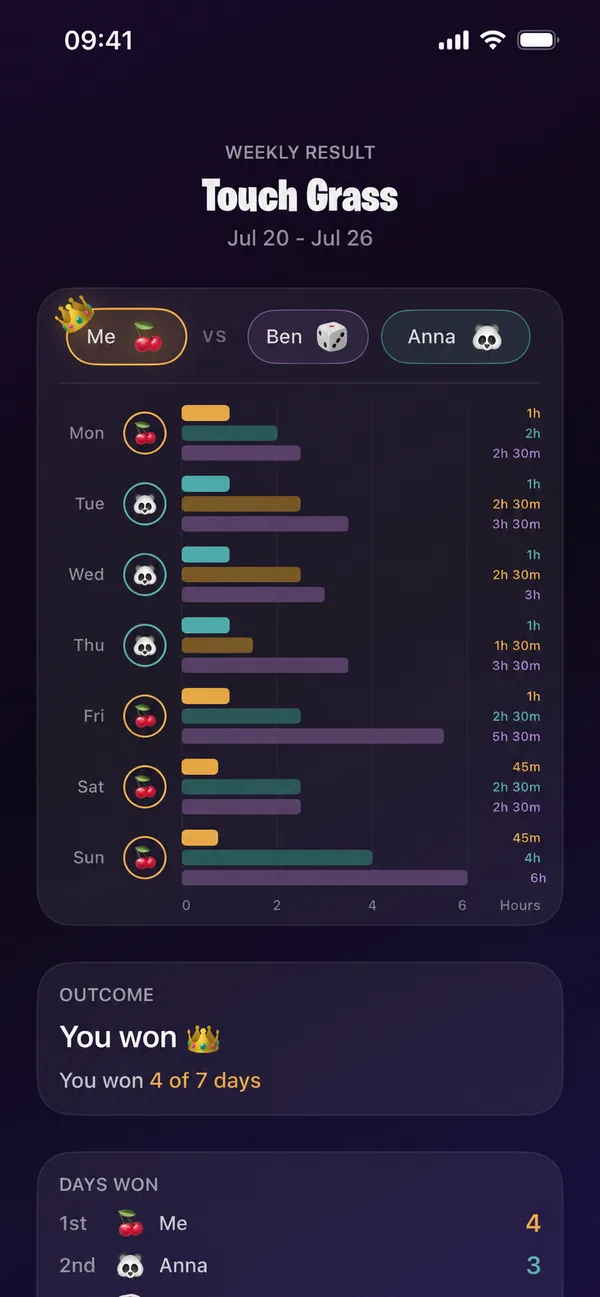
Day-by-day bars show how you and your friends did. Every week ends with a recap of days won, so you can see the change, not just feel it.
Privacy first
Compete without oversharing
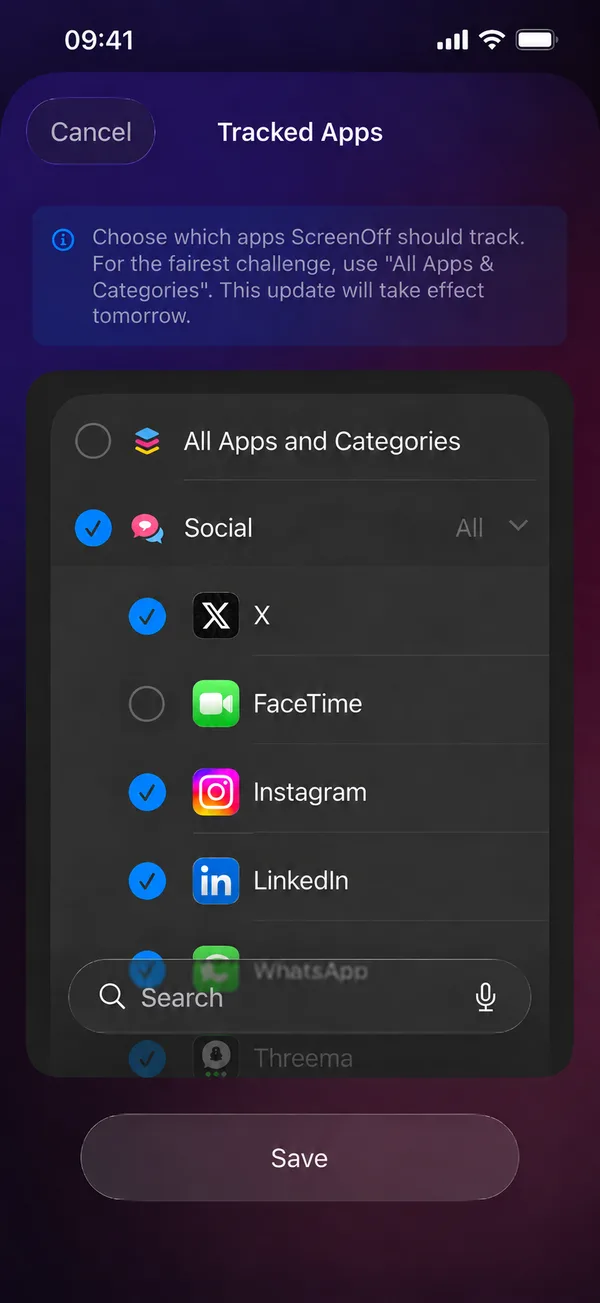
Your friends see how much time you spent, never where you spent it.
- App names and categories stay on your device
- No email or password needed
- Anonymous analytics you can turn off in Settings
FAQ
Frequently asked questions
How can I reduce my screen time on my phone?
Pick the apps that take most of your time, give yourself a daily limit or a phone-free curfew, and make it a game with friends. ScreenOff does all three, using Apple's Screen Time on iPhone and usage access on Android.
Can I block apps like Instagram or TikTok?
Yes. Choose any apps or categories and block them all day, on a schedule like a night curfew, or once you hit a daily limit.
What if my friends aren't ready to join?
Start on your own. Blockers, weekly challenges, and your own candle work without anyone else, and you can invite friends whenever you're ready.
When does my candle burn out?
Your candle burns down with every minute of screen time and goes out when you reach the daily average for your generation, from about 4h 20m for Baby Boomers to about 6h 25m for Gen Z.
Is ScreenOff free?
ScreenOff is free to download. Optional ScreenOff Pro unlocks extra features, and the App Store or Google Play handles the subscription in your Apple or Google account.
Can my friends see which apps I use?
No. You pick the apps on your phone, and the selection never leaves it. Friends only see approximate daily totals.
How many friends can join a challenge?
Play 1v1 or invite up to four friends to a group challenge. Results reset at each weekly checkpoint.
Do I need an account?
No sign-up. ScreenOff creates an anonymous account for you. You can delete it any time in Settings.
Which devices are supported?
ScreenOff runs on iPhone with iOS 17 or later (needs Screen Time access) and on Android (needs Usage access).

Win your time back
Start with one friend and one app this week. Your mornings, evenings, and conversations will thank you.